Escape Mode:
Concentric Ring Breakout

Create high-tension vertical videos where balls must find gaps in rotating concentric boundaries. Keep viewers hooked until the final breakout moment.

Build Faceless Channels
Millions of Views Generated
Maximize Audience Retention
Bouncing ball reel

What Escape Mode Actually Does

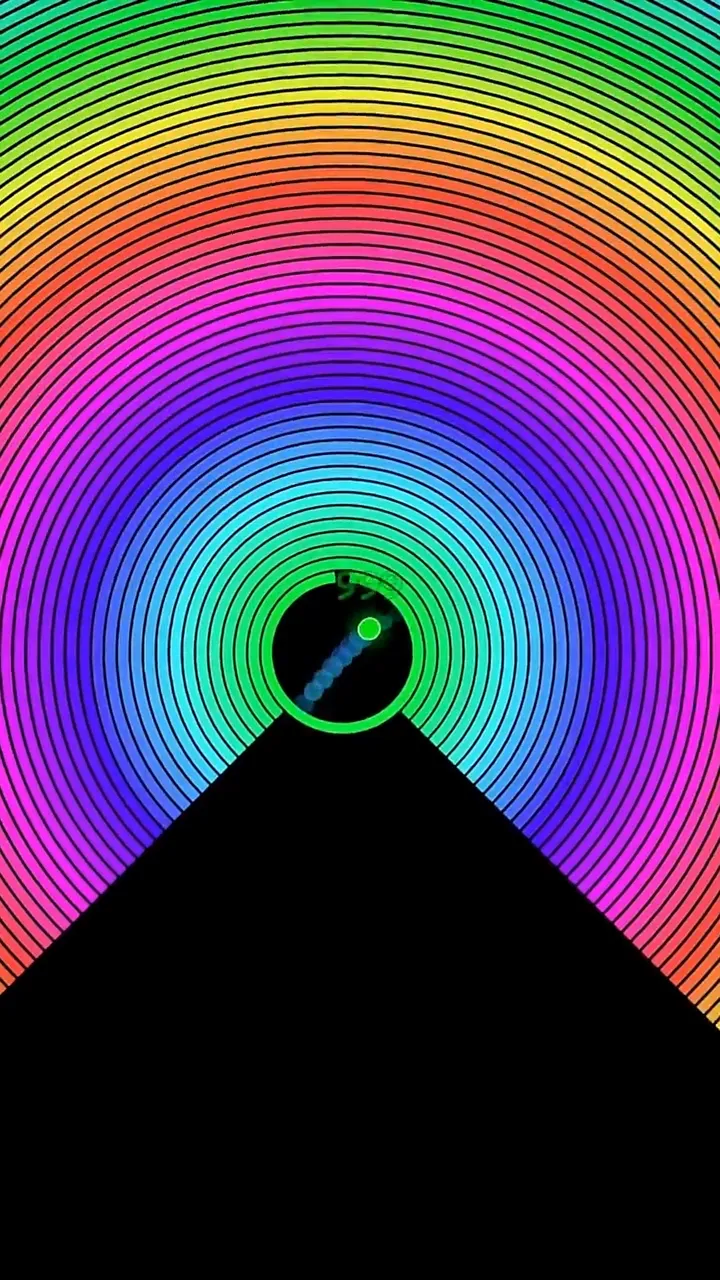
Nested rotating rings, one gap each, and a ball trying to find its way out. Suspense is the entire product.

Escape Mode surrounds the ball with concentric rings. Each ring carries a gap, each ring rotates, and the ball can only move outward when a gap happens to line up with it at the moment it arrives. Every layer cleared is a visible checkpoint, and the outermost ring is the finish line.

The mode is a suspense engine because the outcome is genuinely uncertain and the viewer can see the odds. A narrow gap on a fast ring reads as almost impossible, and the near misses do the work that a caption otherwise has to do.

You control both halves of the tension: the geometry, through ring count, spacing, and gap size, and the pace, through rotation speed, acceleration, and the shrinking rules that close the arena over time.

Mode Reference

Studio mode
Escape
Core mechanic
Ball exits rotating rings through gaps
Ring count
Configurable, six to eight works best
Ends when
The ball clears the outermost ring
Optional scoring
Time Trial countdown with per-ring bonus
Best canvas
Vertical 9:16, arena centred
Open Escape Mode

How A Run Plays Out

The exact sequence the engine runs in this mode, from the first frame to the moment the run resolves.

1

Rings are built around the ball

Number of Rings and Ring Spacing lay out the arena. More rings means more checkpoints and a longer run, wider spacing gives the ball room to build speed between layers.

2

Each ring rotates with a gap

Gap Size sets the opening in degrees and Ring Speed sets how fast it sweeps past. Rotation Mode and Opposite Gaps decide whether adjacent rings turn together or fight each other, which is what produces the counter-rotating look.

3

The ball hunts for alignment

The ball bounces inside the innermost ring until its position and the gap coincide. Acceleration makes each failed attempt slightly faster than the last, so pressure rises without any change to the geometry.

4

A layer clears and the arena changes

Passing a ring triggers the break animation, the shatter, and the blast effect. Shrink Mode and Base Shrink Rate can pull the remaining rings inward so the arena tightens as the ball advances, which keeps late layers from feeling easier than early ones.

Every Control In Escape Mode

These are the settings this mode adds on top of the shared physics, visual, audio, and export controls. Names match the studio sidebar exactly.

Arena geometry

Number of RingsRing SpacingWide Ring SpacingShow Rings CountSpiral TightnessSide GuardsGap SupportSupport Strength

This is the difficulty dial. Ring count sets run length, spacing sets how much speed the ball gathers between layers, and the guards decide whether a near miss deflects back in or slips through.

Gaps and rotation

Gap SizeOpposite GapsOpposite SizeRing SpeedRotation ModeAccelerationStatic RingsStop Rotation on Hit

Narrow gaps on fast rings produce the near misses the format is built on. Opposite Gaps keeps two exits in play so a run never becomes unwinnable.

Break and impact effects

Break AnimationShield Break AnimationShatter ForceShatter GravityBlast ColorBlast DurationBlast LimitCancel Prev BlastZoom FXZoom MaxZoom Speed

These sell the payoff. A ring clearing with a shatter and a short zoom punch reads as an event, which is what viewers replay the video for.

Shrinking and time trial

Shrink ModeBase Shrink RateMinimum Radius SizeDynamic ScalingTime TrialStart Time (s)Time Addition (s)Time Addition Step (s)

Shrinking tightens the arena as layers fall. Time Trial adds a visible countdown that gains seconds on each cleared ring, which turns the run into a scored challenge.

Ring styling

Border ColorBorder WidthUse RGBUse RGB BorderPrism StartPrism EndMatch Ring ColorShell ColorOpacityPatternPattern ModeSpectral DensityLayer ProfilesShadow BlurShadow Color

Layer Profiles let each ring carry its own look, so the arena reads as distinct layers rather than one repeated circle.

On-screen counter

Font FamilyFont WeightText ColorText ScalePositionOffset

The remaining-rings counter tells the viewer exactly how much is left, which is the cheapest way to hold someone through the middle of a run.

Escape Mode Example Runs

Every clip below was rendered in this mode. Nothing here is borrowed from another mode.

Viral Bouncing Ball Run - Music-Synced Loop

Viral Bouncing Ball Run - Music-Synced Loop

Watch this music-synced musical bouncing ball simulation. Renders vertical portrait videos optimized for TikTok and YouTube Shorts.

Why Escape Mode Videos Travel

Retention reasons specific to this mechanic, not general advice about short-form video.

Near misses are the hook

A ball that passes a gap by a fraction and bounces back creates a genuine reaction. That reaction is what makes people watch the same run three times.

Progress is countable

Rings remaining is a number the viewer tracks without being told. A visible countdown of layers gives the video structure that a free bounce loop cannot.

The ending is a real ending

The ball either escapes the final ring or it does not. Videos with a resolved outcome finish more often than loops that simply fade, and the last ring is a natural place to put the payoff.

Tension can be tuned precisely

Gap size and ring speed give you direct control over how close the run feels. You can rehearse the same arena repeatedly until the timing produces the run you want to publish.

Videos You Can Make In This Mode

Each of these is a different configuration of the same mode, so one setup session produces a batch of related uploads.

01

Classic layered breakout

Six to eight rings, moderate gaps, alternating rotation directions. The default shape of the format and the one search traffic is actually looking for.

02

Impossible gap

One very narrow gap on a fast ring, with the counter on screen. The whole video is the wait, and the escape is the payoff.

03

Timed escape

Turn on Time Trial with a short start time and a small addition per ring. The countdown gives you a second source of tension that runs in parallel with the geometry.

04

Closing arena

Enable shrinking so the rings pull inward as they break. The ball runs out of room at the same rate it runs out of layers.

05

Counter-rotation showcase

Alternate rotation direction on every ring and slow the whole arena down. Reads as a mechanical object rather than a game, which suits calmer audio.

06

Escalating series

Publish the same arena with the gap one degree narrower each time. Viewers who saw the previous video already understand the stakes of the next one.

Build Your First Escape Mode Video

The order that works. Following it out of sequence usually means retuning settings you already set.

  1. 1

    Build the arena

    Start with six rings and even spacing. Set the gap wide enough that the first test run escapes, so you know the arena is solvable before you tighten it.

  2. 2

    Set the rotation

    Give adjacent rings opposite directions and slightly different speeds. Identical speeds across all rings create a repeating pattern that looks mechanical rather than tense.

  3. 3

    Tighten until it is close

    Reduce Gap Size in small steps and replay. You are looking for a run with several near misses per ring, not one that clears cleanly.

  4. 4

    Add the payoff

    Turn on the break animation, the shatter, and a short zoom on the final ring so the escape lands as an event rather than the ball simply leaving frame.

  5. 5

    Add the counter and export

    Place the remaining-rings counter where it stays clear of platform interface overlays, switch to the vertical canvas, and export.

Settings That Make The Difference

  • Turn on Opposite Gaps early. Two exits per ring keeps runs solvable while still allowing very narrow gaps.
  • Acceleration is a better tension tool than raw speed. A run that starts calm and gets faster reads as rising pressure, while a fast start reads as chaos.
  • Give the outermost ring a different colour through Layer Profiles so the finish line is obvious from the first frame.
  • Use Stop Rotation on Hit sparingly. It makes runs easier to solve, which is useful when a specific arena refuses to resolve.
  • Keep Zoom FX short. A long zoom on every break steals attention from the ball.

What Breaks A Run

  • Too many rings. Past eight layers the middle of the run repeats itself and viewers leave before the finish.
  • A gap so narrow the run never resolves. An unwinnable arena has no ending, which is worse than an easy one.
  • All rings rotating at the same speed and direction, which collapses the arena into a single visual pattern.
  • Placing the counter at the very bottom of the vertical canvas, where platform interface elements cover it.

Designing an arena that resolves

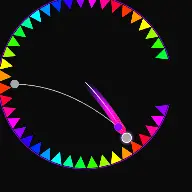
The hardest part of an escape video is making it hard without making it impossible. The variables that decide solvability are gap size, ring speed, and ball speed, and they interact in a way that is easier to feel than to calculate. The reliable method is to start solvable and tighten: build the arena with a generous gap, confirm the ball escapes, then reduce the gap in small steps until near misses appear.

Opposite Gaps is the safety valve. With two openings per ring the ball has twice the chance of alignment at any moment, so you can run gaps narrow enough to look impossible while keeping the run winnable. Gap Support and Side Guards work the other way, deflecting a ball that grazes the edge back into the arena, which produces more near misses without changing the geometry.
Pacing across the whole run

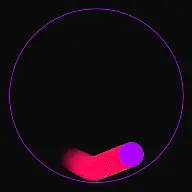
A run that is uniformly tense is not tense at all. The layers should feel different from each other. Wider spacing on the outer rings lets the ball accelerate before the final layers, and Layer Profiles let you make the last ring visually distinct so the endgame is obvious.

Acceleration handles the middle of the run, where most escape videos lose viewers. A small per-bounce increase means the arena the viewer is watching at second twenty is genuinely faster than the one at second five, even though nothing about the geometry changed.

Shrinking handles the ending. With Shrink Mode on, clearing a ring pulls the remaining arena inward, so the ball has less room exactly when it has the most speed. That is the state you want the video to finish in.

Escape Mode Questions

Escape Mode is a physics puzzle simulation where balls bounce inside multiple concentric rings. Each ring features a small opening (gap) and rotates continuously. The objective is for balls to bounce through each gap to escape the outermost boundary. In the Creator Studio, you can customize the number of rings (up to 8), adjust gap width in degrees, and set individual ring rotation directions.

Open the Boundary Settings in the studio sidebar. For each ring layer, you can enter exact rotational speeds (in degrees per second) and toggle between clockwise and counter-clockwise directions. Setting alternating directions for adjacent rings creates an extremely mesmerizing orbital counter-rotation that builds visual suspense.

Escape challenges trigger strong psychological anticipation loops. Viewers experience tension as the ball bounces near a small exit gap, and a rush of satisfaction when it finally slides through. This anticipation drives extremely high watch duration and completion metrics, which are the primary signals social algorithms use to recommend videos to wider feeds.

Open Escape Mode

Every control on this page is already in the studio. Load the mode and start from a working run.