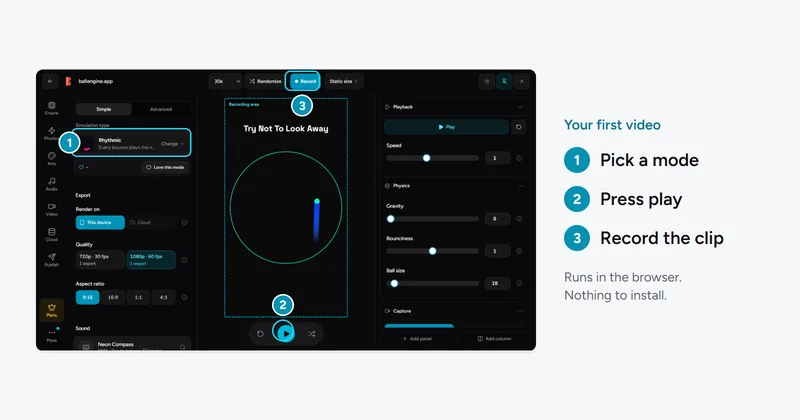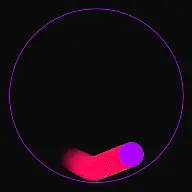
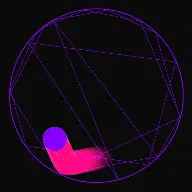

Bouncing Balls That
Play The Song

Import a MIDI file or an audio track. Each collision advances the melody by one note, so the simulation performs the music rather than playing underneath it.

Build Faceless Channels
Runs In Your Browser
Maximize Audience Retention
Rhythmic Mode - Music Synthesizer | Fun Circle Games
Advanced per collision
1 note
And full song import
MIDI
Spectrum bars available
256
Manual sync required
0

Grow Your Audience
With Music Ball Simulator

The appeal of a music ball simulator is that nothing is edited to fit. The ball hits a wall, the next note plays, and the rhythm you hear is the rhythm the physics produced. Getting that to sound intentional rather than accidental is mostly a matter of setting the collision rate before you attach the audio.

Note Per Impact

The melody is a queue. Every qualifying collision pops the next note, so timing comes from the physics instead of from an editor timeline.

MIDI Or Song

Upload a MIDI file for exact note data, or an audio track that gets analysed into playable steps.

Overlap Handling

Dense collision runs produce overlapping notes. Sound overlap prevention and smooth multi-sound playback keep that from turning into noise.

Reactive Spectrum

An optional bar visualiser reads the live output, with independent rise and fall speeds so it moves with the track rather than flickering.

Satisfying physics video loop

How to sync a song to bouncing balls

The order matters here. Setting physics after loading audio means re-tuning the whole run.

  1. 1

    Set the collision rate first

    Gravity and arena size together decide how often the ball hits something. That rate becomes your tempo, so establish it before any audio is attached.

  2. 2

    Upload a MIDI file or a song

    MIDI carries exact note and timing data and gives the cleanest result. An audio track works too and is analysed into a sequence of playable steps.

  3. 3

    Choose which collisions trigger notes

    Restrict advancement to boundary hits only, or let ball-to-ball contact count as well. Fewer trigger sources gives a sparser, more deliberate performance.

  4. 4

    Handle dense passages

    Turn on sound overlap prevention if fast sections start to smear. Smooth multi-sound playback keeps simultaneous notes distinct instead of clipping.

  5. 5

    Record the run

    Export vertical at up to 4K. Audio is rendered from the same collision events as the visuals, so the two cannot drift apart.

Settings Reference

Every control below is a real field in the studio panel for this mode, with the range it accepts.

Timing controls

ControlRangeWhat It Changes
Gravity0 to 0.5Sets how quickly a ball returns to a surface, which is the main determinant of note spacing.
Bounciness0 to 2.0Values under 1.0 gradually shorten the interval between notes as the run loses energy.
Starting Arena Size10 to 800Smaller containers raise the collision rate and therefore the tempo.
Bounce Randomness0 to 1.0Small amounts stop the melody from falling into an audibly mechanical repeat.
Speed Build-up Rate0 to 0.1Makes the performance accelerate through the run, which suits tracks that build.

Spectrum visualiser

ControlRangeWhat It Changes
Number of Bars8 to 256Resolution of the frequency display drawn behind or beneath the simulation.
Sensitivity to Sound0.1 to 5Input gain. Raise it for quiet sources, lower it for loud masters that peg every bar.
Bar Rise Speed0.01 to 1Attack. High values snap to transients, low values glide.
Bar Fall Speed0.01 to 1Release. Slower falls read as smoother on short vertical clips.
Bounce Response0 to 5How much a collision disturbs the bars independently of the audio signal.
Sound Localization0 to 1Ties bar activity to where on screen the impact happened rather than the whole width.

Why Creators Choose Music Ball Simulator

Laying a track over a physics clip is straightforward and looks it. Driving the track from the collisions is what makes viewers watch a bouncing ball video twice.

Sync Cannot Drift

Audio and video are produced by the same collision events during the render, so there is no alignment step and nothing to correct afterwards.

Real MIDI Support

A MIDI upload keeps its note values and ordering. The simulation walks the sequence rather than approximating pitches from an audio analysis.

Built For Dense Runs

Overlap prevention and multi-sound smoothing exist because spawner-style runs generate collisions faster than a naive sampler can handle.

Works With Any Mode

Note mapping is not restricted to one rule set. Escape runs, breaker runs and drawer runs can all drive the melody.

Vertical Output

The canvas is 9:16 throughout, so a music-synced run exports ready for Shorts, Reels and TikTok without reframing.

Popular Channels & Formats

Song Performance Clips

A recognisable melody played out by the simulation, which is the format that travels furthest on short-form feeds.

Chime And Ambient Loops

Sparse scales over slow physics for relaxing background video rather than a specific tune.

Long-Form Music Video

A full track carried across one continuous run, cut together for a longer YouTube upload.

Example Music Ball Simulator Renders

Satisfying physics video loop

Rhythmic Mode - Music Synthesizer | Fun Circle Games

How note-per-collision mapping works

The melody is held as an ordered queue of notes. When a collision occurs that qualifies as a trigger, the queue advances by one and that note is played. There is no timeline and no beat grid, which is why the result sounds tied to the motion rather than laid over it.

The consequence is that the physics is your sequencer. If collisions come faster, the song plays faster. If the run settles and impacts become sparse, the melody stretches out. This is a feature when the run is tuned for it and a problem when it is not, which is why setting gravity and arena size before attaching audio saves a lot of iteration.

You also control which collisions count. Restricting triggers to boundary contact gives a measured, deliberate performance. Allowing ball-to-ball contact in a spawner run produces something closer to a cascade, where the melody races through as the population climbs.
MIDI compared with audio upload

A MIDI file is a list of notes with pitches, durations and ordering already separated out. Feeding one in means the simulator knows exactly what note comes next and can play it cleanly at whatever moment the collision happens. This is the more reliable of the two paths and it is what to use if you have the choice.

An audio track has to be analysed into playable steps first, because a mixed recording does not arrive pre-separated into notes. That works and it is the faster option when you only have the finished song, but the result is closer to triggering slices of the recording than to performing the composition.

For a recognisable tune where each note should land clearly, MIDI is the better input. For texture, atmosphere, or a track the audience will recognise from its production rather than its melody, an audio upload is usually enough.

Keeping dense passages listenable

The failure mode of collision-driven audio is a busy stretch where twenty impacts land inside a second. Played naively that is twenty overlapping samples, which reads as a burst of noise and undoes the effect entirely.

Sound overlap prevention caps how many voices sound simultaneously, dropping the excess rather than letting them stack. Smooth multi-sound playback takes the opposite approach, keeping simultaneous notes but managing their envelopes so they stay individually audible. Which one to use depends on whether the dense section is the point of the clip or just something it passes through.

Frequently Asked Questions

The Music Ball Simulator aligns physics collisions with musical note sequences. By importing a MIDI file, the engine reads the note list. Every time a ball hits a physical boundary or obstacle, the next note in the sequence is triggered. The physical placements of the walls and barriers are calculated so that the bounces correspond directly to the tempo and note triggers of the song, resulting in a perfect performance.

Yes! The simulator supports multi-channel MIDI files, allowing you to assign different sounds (e.g., synth, piano, strings) to different ball colors or specific boundary segments. You can also configure custom musical scales (like Pentatonic or Dorian) to create pleasing, harmonious improvisations even without uploading a pre-written melody.

When using our Pro or Elite plans, all music synthesized by the Creator Studio is royalty-free for commercial use. You have complete rights to upload and monetize these video renders on YouTube, TikTok, and Reels. If you upload a copyrighted MIDI melody, you should review the target platform's policies, though synthesized covers generally qualify for monetization or creator-sharing programs on most feeds.

Affordable. Earned back with a single video.

Pick the plan that matches your goals. Flexible subscriptions, cancel anytime.

Monthly
YearlySave up to 57%
Starter Studio
Everything you need to start.
Free
Forever
  • Connect YouTube
  • 2 videos per week
  • 1080p HD rendering
  • 5 exports per month
  • 100 MB storage
  • Community support
Popular
Pro Creator
The full creative suite.
$19/ month
  • Publish to 3 platforms
  • 6 posts per day
  • No watermark
  • 100 exports per month
  • Premium sound library
  • 1,000+ controls
  • Commercial license
  • 1 brand profile
  • 1 GB storage
  • Priority support
Trusted by daily creators
Secure checkout·Cancel anytime
Studio Elite
Built to scale across brands.
$99/ month
  • Everything in Pro
  • 3 brand accounts
  • 18 posts per day
  • 4K Ultra HD rendering
  • Unlimited exports
  • Custom watermark
  • Full preset library
  • 10 GB storage
  • Early access
Secure checkout·Cancel anytime

Every feature, side by side

Exactly what you get on each plan.

FeatureStarter StudioFreePro Creator$19 / monthStudio Elite$99 / month
Publishing & Scheduling
Connect YouTube
Connect TikTok
Connect Facebook
Posts per platform
2 / week
2 / day
2 / day
Posts per day, all platforms
2 / week
6
18
One-click cross-posting
Post scheduling
Rendering & Export
Render quality
1080p
1080p
4K
Exports per month
5
100
Unlimited
No watermark
Custom watermark
Creative Suite
Simulation controls
Limited
Full
Full
Premium sound engine
Ball effects
12
42
1,200+
Sound presets
12
50
310
Layouts & scene presets
Starter
Extended
Full
Account
Commercial license
Brand accounts
1
1
3
Cloud storage
100 MB
1 GB
10 GB
Early access
Support
Basic
Priority
Priority

Ready to Start?

Get instant access to the creator studio and start building Music Ball Simulator videos today.

Cookie Preferences

We use cookies that are necessary for the site to work, and, only with your consent, cookies for preferences, analytics and attribution. You can change or withdraw your choice at any time. Cookie Policy · Privacy Policy

Compliant with GDPR (EU), DPDPA (India), CCPA (California) and the ePrivacy Directive.