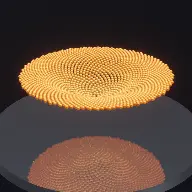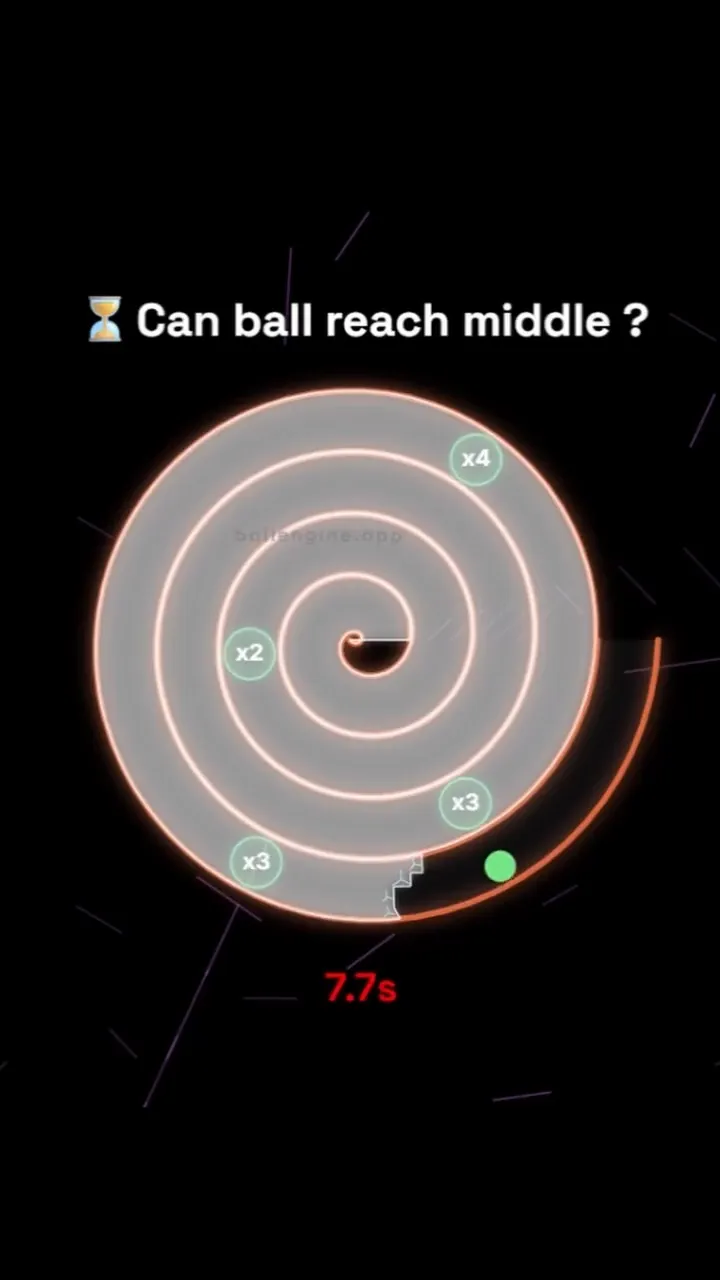
Breaker Mode:
Satisfying Glass Breaking Physics

Build mesmerizing glass breaking runs. Shatter obstacles, trigger color-coded particle explosions, and compose melodies with every block broken.

Build Faceless Channels
Millions of Views Generated
Maximize Audience Retention
Bouncing ball reel

What Breaker Mode Actually Does

A glass spiral built from real cells, cracked and cleared one impact at a time. Destruction is simulated, not animated.

Breaker Mode builds a spiral track out of layered glass and then takes it apart. The glass is not a sprite that swaps to a broken version. It is a lattice of cells with thickness, durability, and depth, so a crack spreads from the impact point and shards leave with their own gravity and lifetime.

That simulation is why the mode holds attention. Each break is different because each impact lands on a different cell of a structure that is already partly destroyed, so the same configuration produces a genuinely different run every time.

The mode is built around runs. Balls arrive in waves, a run lasts a set number of seconds, and a power ladder escalates across successive runs so the destruction gets heavier the longer the video goes.

Mode Reference

Studio mode
Breaker
Core mechanic
Cell-based glass lattice fractures under impact
Glass model
Durability, thickness, and layered depth per cell
Run structure
Timed runs with an escalating power ladder
Audio routing
Separate bounce, crack, and shatter sources
Best canvas
Vertical 9:16 with the spiral filling the frame
Open Breaker Mode

How A Run Plays Out

The exact sequence the engine runs in this mode, from the first frame to the moment the run resolves.

1

A glass spiral is generated

Spiral Turns, Outer Radius, and Channel Gap lay out the track. Glass Layers sets how deep the wall is, so a single impact does not always punch through to the other side.

2

Balls arrive in waves

Balls per Wave, Spawn Spacing, and Spawn Stagger control the arrival pattern. Track Drive and Radial Center Gravity pull the balls along the spiral rather than letting them fall straight down.

3

Impacts crack the lattice

Each hit reduces the durability of the cells it touches and spreads a crack outward. Crack Spread Width and Crack Raggedness shape that pattern, and Max Shatter Per Hit caps how much of the structure a single impact can remove.

4

Sections collapse and the run escalates

When enough of a section is gone it collapses, throwing pieces with Collapse Blast Force and Piece Gravity Pull. The power ladder then raises the intensity for the following run, so a long video escalates instead of repeating.

Every Control In Breaker Mode

These are the settings this mode adds on top of the shared physics, visual, audio, and export controls. Names match the studio sidebar exactly.

Glass material

Glass DurabilityGlass Layers (Depth)Glass ThicknessGlass OpacityGlass TintSpecular ShineRefraction DistortionOutline Highlight

This is what makes the glass read as glass. Refraction and specular shine are the difference between a coloured rectangle and a pane with weight behind it.

Cracking and shattering

Break StyleGlass CrackCrack Overlay ColorCrack Spread WidthCrack RaggednessMax Shatter Per HitShards per BreakShard IrregularityShard Gravity StrengthShard Lifetime (sec)

Crack settings control the moment before a break, shard settings control the moment after. Ragged cracks and irregular shards read as real glass, clean ones read as a game.

Collapse and impact force

Destruction IntensityCollapse Blast ForceTotal Collapse PiecesPiece Gravity PullCamera ShakeHanging Support

Collapse is the payoff beat. Hanging Support decides whether a cleared section falls away or stays in place until it is fully cut free.

Spiral track

Spiral TurnsSpiral RotationOuter RadiusChannel GapWall ThicknessWall ColorWall FrictionTrack DriveRadial Center GravityPlacement Mode

The track decides where the balls travel and therefore which parts of the glass get destroyed first. Friction and drive set how quickly a ball works its way inward.

Ball waves

Balls per WaveMax Spawns CountActive Limit CountSpawn Spacing (ball widths)Spawn Stagger (sec)Respawn Delay (sec)BouncinessImpact Speed LossBounce RandomnessFree Fall Before Reset (sec)

Wave settings decide the density of destruction. Randomness keeps repeated waves from carving the same channel through the glass every time.

Run pacing and power

Seconds Per RunFirst Run (sec)Longest Run (sec)Added Per Run (sec)Power LadderPower Fade (sec)Multiplier GateGate PlacementGate Visual SizePost-Break Delay (sec)

The escalation system. Each run is allowed to be longer and heavier than the last, which is what stops a two-minute video from feeling like one loop repeated.

Per-event sound

Bounce SourceBounce MelodyBounce SongBounce EffectGlass CrackGlass Shatter

Breaker carries its own sound routing, so bounces can play a melody while cracks and shatters keep their own effects.

Breaker Mode Example Runs

Every clip below was rendered in this mode. Nothing here is borrowed from another mode.

Viral Bouncing Ball Run - Music-Synced Loop

Viral Bouncing Ball Run - Music-Synced Loop

Watch this music-synced musical bouncing ball simulation. Renders vertical portrait videos optimized for TikTok and YouTube Shorts.

Why Breaker Mode Videos Travel

Retention reasons specific to this mechanic, not general advice about short-form video.

Destruction is the oldest hook there is

Breaking something is legible with no context, no caption, and no audio. It works on a muted autoplay in a feed, which is where most first impressions happen.

The structure is a progress bar

Viewers can see how much glass is left. That visible remainder is a reason to stay to the end without any on-screen text explaining the goal.

Escalation resets attention

The power ladder makes each run heavier than the last, so the video gives the viewer a new reason to keep watching every few seconds instead of relying on the opening.

Crack and shatter sounds are the payoff

Glass has a naturally satisfying acoustic signature. Because cracks and shatters route separately from bounces, the destruction can be mixed forward without losing the melody.

Videos You Can Make In This Mode

Each of these is a different configuration of the same mode, so one setup session produces a batch of related uploads.

01

Full spiral teardown

Start with a complete glass spiral and run waves until the structure is gone. The most complete version of the mode and the clearest payoff.

02

Layer by layer

High Glass Layers with low Max Shatter Per Hit, so the wall is stripped in visible passes rather than punched through in one hit.

03

Escalating power run

Configure the power ladder so run three is visibly heavier than run one. Best suited to longer videos that need internal structure.

04

Multiplier gate run

Place the gate where the balls must pass it to reach the deeper glass, so the wave size grows as the run proceeds.

05

Slow-motion single break

One ball, thick glass, high refraction, and a slow pace. The whole video is a single crack spreading through the lattice.

06

Melodic destruction

Route bounces to a melody while leaving crack and shatter effects at full weight, so the run plays a tune and breaks glass at the same time.

Build Your First Breaker Mode Video

The order that works. Following it out of sequence usually means retuning settings you already set.

  1. 1

    Lay out the spiral

    Set Spiral Turns and Outer Radius so the track fills the vertical frame, then set Channel Gap wide enough that balls travel rather than jam.

  2. 2

    Choose the glass

    Set Glass Durability and Glass Layers together. High durability with few layers gives slow surface damage, low durability with many layers gives fast visible progress through depth.

  3. 3

    Tune one wave

    Run a single wave and watch where the balls actually travel. Adjust Track Drive and Wall Friction until the balls work inward at the pace you want.

  4. 4

    Set the destruction weight

    Raise Destruction Intensity, shard counts, and Collapse Blast Force until a break reads clearly at phone size. Add a small camera shake only on collapse.

  5. 5

    Configure the escalation

    Set the first run short, add seconds per run, and enable the power ladder so the video builds. Then frame vertically and export.

Settings That Make The Difference

  • Refraction and specular shine matter more than colour. Glass reads as glass because of how it bends light behind it, not because of its tint.
  • Cap Max Shatter Per Hit. Without a cap one lucky impact can remove half the structure and end the video early.
  • Bounce Randomness stops repeated waves from carving the same channel, which is the main reason long runs start to look repetitive.
  • Keep shard lifetime short at high wave counts. Long-lived shards accumulate and hide the glass that is still standing.
  • Reserve camera shake for collapse events. Shaking on every bounce makes the whole video feel unstable.

What Breaks A Run

  • Very high durability with a single glass layer, which produces lots of impacts and almost no visible progress.
  • Turning every destruction setting to maximum. When everything explodes at once the individual breaks stop registering.
  • A channel gap narrower than the ball, which jams the wave and stalls the run.
  • Leaving the run length flat across the whole video, so run four looks exactly like run one.

How the glass actually breaks

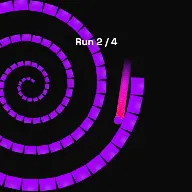
Each pane is a lattice of cells rather than a single object. An impact damages the cells nearest the contact point and the crack grows outward from there, which is why a second hit near the first one behaves differently from a hit on untouched glass. Crack Spread Width sets how far that damage reaches and Crack Raggedness controls how irregular the boundary is.

Depth is modelled separately from surface damage. Glass Layers gives the pane thickness, so a ball can remove the front layer and leave the rest standing. That is what produces the layered look where a wall becomes progressively more transparent before it finally opens.

Collapse is a separate event from shattering. When a section loses enough support it detaches as a group, which is why Hanging Support and Total Collapse Pieces exist alongside the per-hit shard settings.
Building a run that escalates

A destruction video that repeats itself loses viewers in the middle, which is what the run system is designed to prevent. First Run sets a short opening so the video starts moving quickly, Added Per Run extends each subsequent run, and Longest Run caps the growth so a session does not run away.

The power ladder raises the destructive weight alongside the run length. In practice that means the same spiral is attacked harder each time, so the third run removes visibly more glass than the first even with identical geometry.

The multiplier gate is the optional third layer. Placing it where balls must pass on the way inward means wave size grows as balls reach the deeper glass, so the heaviest destruction happens where the structure is thickest.

Breaker Mode Questions

Breaker Mode is a physics-driven layout where balls bounce inside container elements containing destructible glass blocks. When a ball collides with a glass block, it registers an impact, reduces the block's durability, and eventually shatters it. This shatters the glass blocks into glowing particle arrays and triggers custom sound chimes, creating a highly satisfying glass breaking animation.

Yes! In the Obstacle panel under Breaker Settings, you can configure the durability (number of hits required to break a glass block, from 1 to infinite), assign custom colors to different glass block durability tiers, and arrange blocks in grids, circular concentric shield walls, or custom patterns.

Under the Audio Workshop, you can toggle 'Shatter Notes'. This assigns specific MIDI notes or scale steps to individual glass block groups. When a glass block is shattered by a bouncing ball, it triggers its assigned note. Arranging rows of glass blocks in ascending pitch grids allows you to compose melodies or arpeggios that play dynamically as the balls clear the field.

Open Breaker Mode

Every control on this page is already in the studio. Load the mode and start from a working run.

Cookie Preferences

We use cookies that are necessary for the site to work, and, only with your consent, cookies for preferences, analytics and attribution. You can change or withdraw your choice at any time. Cookie Policy · Privacy Policy

Compliant with GDPR (EU), DPDPA (India), CCPA (California) and the ePrivacy Directive.